Using the Battery settings
To access Settings, swipe down from the top of the display then tap the Settings icon. Under Battery, the
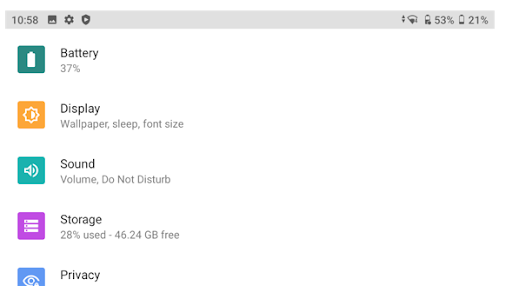
In the image above, at the top of the screen, the Li-35 accessory battery shows a 53% charge and the internal batteries show a 21% charge. There is therefore a 37% combined total charge available.
Fully charged internal batteries will run on average for approximately 17 hours (depending on workflow). A fully charged Li-35 accessory battery provides an additional 17 hours of battery run-time. If the combined charge is 37%, this means that there is 37% available run-time from the combined estimated total battery run-time of 34 hours; that is, 37% would yield approximately 12.6 hours of typical run-time.
To access the Battery settings, tap Battery. The Battery settings screen shows the combined charge level of the internal and the Li-35 accessory batteries and their charging status:
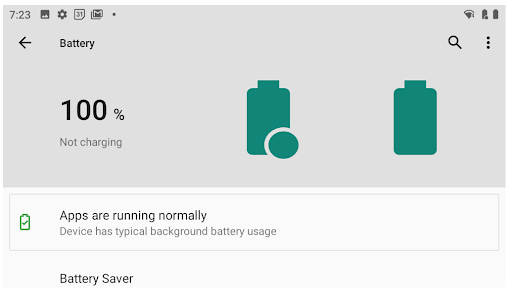
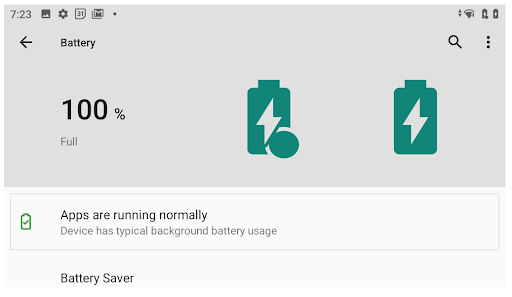
As on the Status bar, the battery icons are filled according to their charge level (in the image above, both are 100% charged). For example:
-
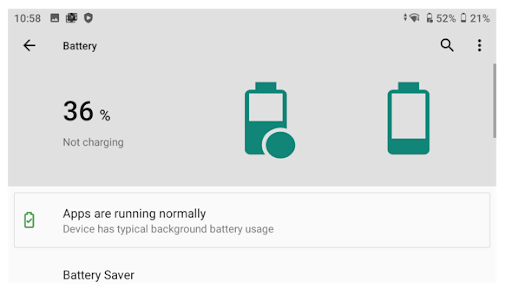
the Battery settings screen below is showing (top right of the screen) 52% charge for the Li-35 accessory battery and 21% charge for the internal battery, with a combined total charge of 36%:
-
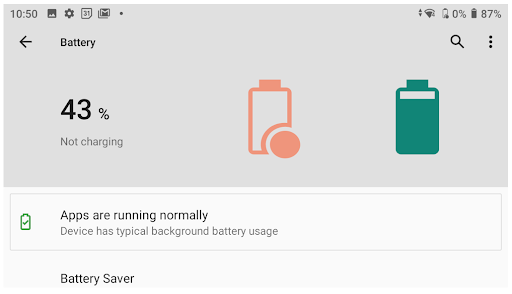
the Battery settings screen below is showing 0% charge for the Li-35 accessory battery and 87% charge for the internal battery, with a combined total charge of 43%:
Scroll down to access other settings:
-
Battery Saver
-
Battery Manager
-
Battery percentage: Turn on to display the battery charge % level next to the battery icons on the Status bar
-
Last full charge
-
Screen usage since full charge
-
Advanced: Tap to access additional battery information such as Max / Min Voltage, Max / Min Temperature, and Charging Cycles for the internal batteries and the Li-35 accessory (external) battery.
Battery charging
-
The internal battery always charges first to 100%. Charging then switches to the Li-35 accessory battery.
-
A lightning bolt displays on the internal battery icon while the battery is charging. It remains on when the internal batteries are fully charged and the Li-35 accessory battery is charging.
-
The Li-35 accessory battery is always used first until drained to 0%; the device then switches to using the internal batteries.
-
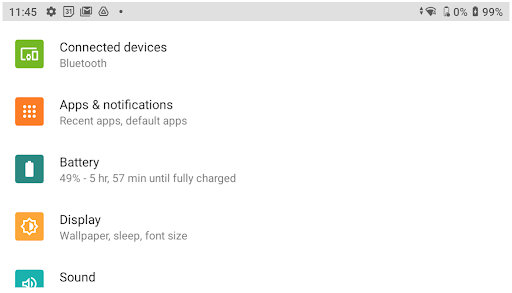
Under Battery, the charge percentage and charge status, including time remaining to full charge, is displayed:
-
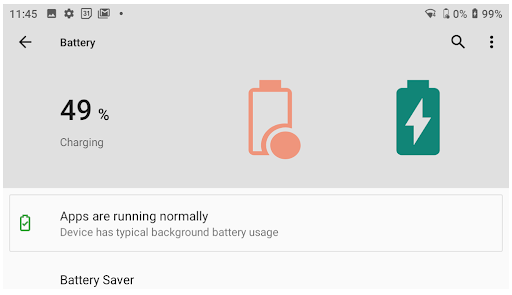
The following image shows that the internal batteries are charging, as indicated by the lightning bolt on the internal battery icon. This same icon shows on the Status bar in the Battery settings and on the device's home screen. The Li-35 accessory battery has 0% charge:
-
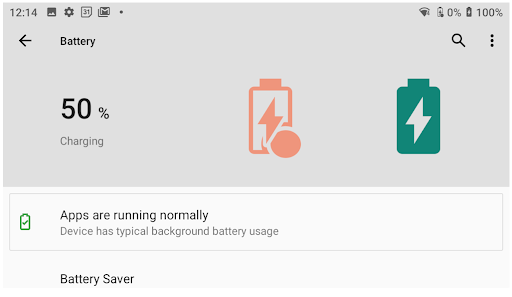
When the internal battery is 100% charged, the Li-35 accessory battery starts charging. The lightning bolt appears on both battery icons:
-
When both batteries are 100% charged, and the device is still plugged in to main power, both battery icons show as full and both display the lightning bolt:
When the device's charger is no longer connected, the batteries appear without the lightning bolt.
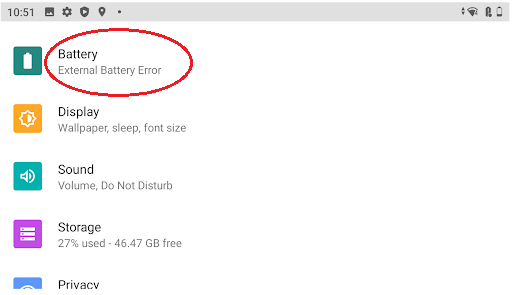
Li-35 accessory battery: external battery error indicator
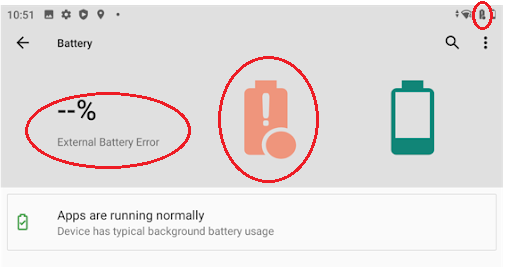
If a fault is detected in the Li-35 accessory battery, the Li-35 accessory battery icon alerts you as follows:
-
in the Status bar:

-
Under Settings:
-
in the Battery settings: